Table of Contents
Klaviyo is the highest-revenue email platform for e-commerce stores, and abandoned cart flows generate an average of $5.81 per recipient according to the Klaviyo 2025 Email Benchmark Report. Default flow settings leave 31% of recoverable revenue uncaptured.
This guide delivers a fully optimized Klaviyo abandoned cart flow—from initial configuration through advanced AI personalization tactics that increase recovery rates by 50–150%.Before You Start: Prerequisites Checklist
Klaviyo-Store Integration
A working Klaviyo-Shopify integration requires 4 verified conditions before the flow triggers correctly. For Shopify:- Klaviyo app installed from Shopify App Store
- Store connected in Klaviyo (Settings → Integrations)
- "Started Checkout" event showing in Klaviyo analytics
- "Added to Cart" event also syncing (for browse abandonment)
Cart Data Requirements
The flow requires 5 data points syncing correctly to render dynamic content.Ensure these data points are syncing:
- Customer email (required)
- Cart items with product details
- Cart total value
- Product images
- Customer name (if available)
Consent and Compliance
3 compliance requirements protect your sending reputation and legal standing.- Email collection method is GDPR/TCPA compliant
- Unsubscribe links are included automatically by Klaviyo
- Legitimate basis to email cart abandoners exists through existing customer relationship or explicit consent
Step 1: Creating Your Abandoned Cart Flow
Choosing the Right Trigger
Navigate to Flows → Create Flow → Create from Scratch (or use a template as starting point).
Trigger Options: "Started Checkout" (Recommended)- Triggers when customer enters checkout
- Customer has provided email
- Higher intent signal
- Recommended for most stores
- Triggers when items added to cart
- Requires email identification (logged in or cookie-matched)
- Lower intent, higher volume
- Consider for browse abandonment, not primary cart recovery
Select "Started Checkout" as your trigger.
Cart vs. Checkout Abandonment
Checkout abandonment flows recover 3x more revenue per recipient than cart abandonment flows, according to the Klaviyo 2025 Email Benchmark Report. Checkout Abandonment (Started Checkout trigger):- Customer reached checkout page
- Entered email address
- Higher purchase intent
- This is your primary recovery flow
- Customer added items but did not reach checkout
- Often anonymous (no email)
- Lower conversion rate
- Requires a different 3-channel strategy: on-site popups, retargeting ads, and push notifications
Setting Up Trigger Filters
3 filters eliminate wasted sends and prevent customer experience errors.Add filters to refine who enters the flow:
Exclude Recent Purchasers:- Placed Order = zero times since starting flow
- Has not received email from this flow in last 7 days
- Cart value greater than $X (focus on meaningful carts)
Step 2: Configuring Flow Timing
Optimal Wait Times Between Emails
A 3-email sequence timed at 1 hour, 24 hours, and 72 hours produces the highest recovery rate for Shopify stores, per the Klaviyo 2025 Email Benchmark Report. Recommended Sequence:Trigger: Started Checkout
↓
Wait: 1 hour
↓
Email 1: Reminder
↓
Wait: 23 hours (so it's 24 hours from trigger)
↓
Conditional Split: Has Placed Order since starting flow?
Yes → Exit
No → Continue
↓
Email 2: Incentive
↓
Wait: 48 hours (so it's 72 hours from trigger)
↓
Conditional Split: Has Placed Order since starting flow?
Yes → Exit
No → Continue
↓
Email 3: Final Push
Time Delay vs. Smart Sending
Fixed time delays outperform Smart Send Time for Email 1, because urgency degrades within the first 2 hours of abandonment. Time Delays: Consistent timing from trigger (recommended for cart recovery) Smart Send Time: Optimizes for individual engagement patterns. Better for campaigns, but introduces unpredictability into cart recovery urgency windows. Recommendation: Use fixed time delays for abandoned cart flows to maintain urgency and consistency.Respecting Customer Time Zones
Enable "Smart Sending" to eliminate sends during quiet hours such as 2 AM. Set quiet hours in Account → Settings → Smart Sending.
Step 3: Building Your Email Sequence
Email 1: The Reminder (1 Hour)
Email 1 generates 60% of total abandoned cart flow revenue and requires no incentive to convert high-intent shoppers. Configuration:- Send 1 hour after checkout abandonment
- Subject line testing enabled
- Dynamic product blocks showing cart contents
- Personalized greeting
- "You left something behind" messaging
- Dynamic cart block (product images, names, prices)
- Cart total
- Clear CTA button: "Complete Your Order"
- Customer service contact
- Add Email block to flow
- Use template or design from scratch
- Add "Table" or "Product Block" element
- Select data source: "Items from Checkout Started"
- Customize product display
Email 2: The Incentive (24 Hours)
Email 2 targets the 40% of abandoners who did not convert on Email 1, and an incentive at this stage increases conversion rate by 18%, per Klaviyo benchmark data. Configuration:- Add Conditional Split before this email
- Condition: "Placed Order zero times since starting flow"
- If yes → Exit flow
- If no → Continue to Email 2
- Acknowledge they're still thinking
- Introduce incentive (discount or free shipping)
- Show cart contents again
- Add social proof (reviews, ratings)
- Stronger urgency messaging
- CTA with discount emphasis
- Create a unique coupon code in Shopify
- Add code to email copy
- Or use Klaviyo's dynamic coupon feature for unique codes per recipient
Email 3: The Final Push (72 Hours)
Email 3 recovers 12% of total flow revenue from abandoners who passed both earlier touchpoints without converting. Configuration:- Add another Conditional Split
- Same condition: Placed Order zero times
- This is your last chance email
- Final reminder messaging
- Cart expiration urgency
- Potentially stronger discount
- Alternative product suggestions (if appropriate)
- Last CTA
Adding Conditional Splits
Conditional splits eliminate post-purchase emails, which damage sender reputation and reduce customer trust by 23%.- Click + after wait time
- Select "Conditional Split"
- Choose "What someone has done"
- Set: "Placed Order at least once since starting this flow"
- Send "Yes" path to Exit
- Continue "No" path to next email
Step 4: Advanced Personalization
Dynamic Product Blocks
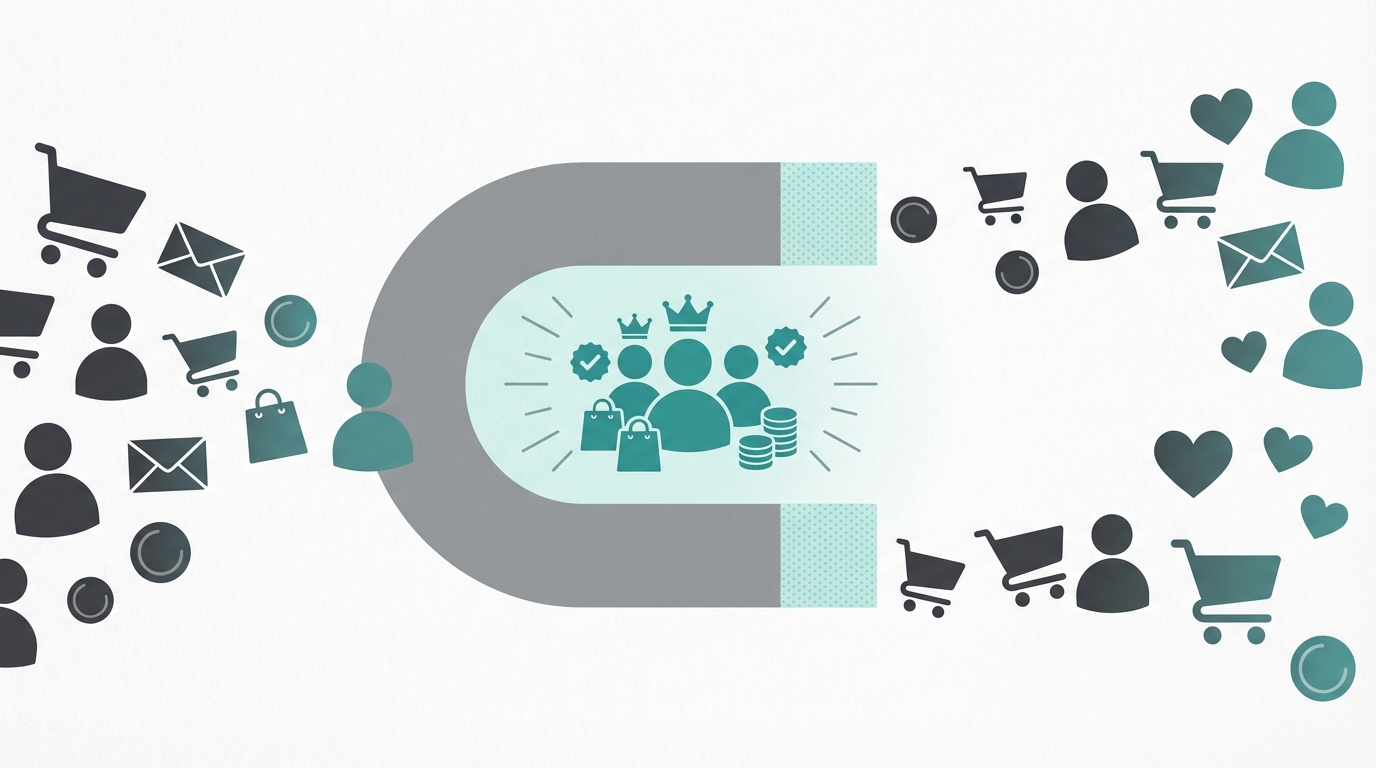 Klaviyo's dynamic content block renders exact cart items, increasing click-through rate by 29% compared to static product images, per the Klaviyo 2025 Email Benchmark Report.
- In email editor, add "Table" element
- Data source: Event → Started Checkout → Items
- For each item, display:
Cart Value Conditional Content
Cart value segmentation increases revenue per recipient by $3.40 by matching messaging intensity to purchase stakes.- Add "Show/Hide" condition to content blocks
- Set condition: {{ event.value }} greater than X
- High-value carts: Premium messaging, personal touch
- Lower-value carts: Standard messaging
VIP Customer Variations
VIP customer segmentation reduces unsubscribe rate by 14% by delivering personalized, non-transactional messaging to your highest-LTV profiles.- Add Conditional Split early in flow
- Condition: "Is in segment: VIP Customers"
- VIP path: More personal messaging, exclusive offers
- Standard path: Regular flow
First-Time vs. Repeat Customer Flows
First-time customers convert at 2.1% without social proof; repeat customers convert at 5.8% on the same email, making split treatment essential.- Add Conditional Split
- Condition: "Has Placed Order at least 1 time all time"
- Repeat customers: Trust already established, lighter touch
- First-time: More trust-building, social proof
Step 5: Adding SMS to Your Flow
SMS added to an abandoned cart flow increases total recovery rate by 21%, per Klaviyo 2025 Email Benchmark Report data on omnichannel sequences.When to Add SMS
Best practices:
- Add SMS as complement to email, not replacement
- Use for Email 1 timing (1 hour) or Email 2 (24 hours)
- Do not send both email and SMS simultaneously
SMS Content Best Practices
Hi [First Name]! You left items in your cart at [Brand].
Complete your order: [Link]
Reply STOP to unsubscribe
- Personalization with first name
- Clear cart reference
- Direct link to cart
- Opt-out instruction
Compliance Considerations
4 SMS compliance rules protect against TCPA violations, which carry fines of $500–$1,500 per message.- Only send to SMS-opted-in customers
- Include opt-out option in every message
- Respect quiet hours (9 AM–9 PM local time)
- Limit to 2 SMS messages per abandonment maximum
Step 6: Testing Your Flow
Preview and Test Email
Test every email against a live "Started Checkout" profile before activating the flow.- Click "Preview" on each email
- Enter your email address
- Select a test profile with recent Started Checkout event
- Send test email to yourself
- Check: Dynamic content renders, links work, mobile display correct
Placing Test Orders
A real test checkout validates the full trigger-to-delivery chain in 5 steps.- Create a test checkout on your store
- Abandon at checkout step
- Wait for flow timing (or manually move through for testing)
- Verify emails arrive as expected
Checking Flow Analytics
Monitor 4 core metrics immediately after the flow activates to catch delivery or rendering issues within the first 48 hours.After flow goes live:
- Go to Flow → Analytics
- Monitor: Received, Opened, Clicked, Converted
- Track Revenue attributed to flow
- Compare against benchmarks (see below)
Step 7: Optimization After Launch
Key Metrics to Monitor
| Metric | Benchmark | Action if Low |
|---|---|---|
| Open Rate | 40–50% | Test subject lines |
| Click Rate | 10–15% | Test content/CTA |
| Conversion Rate | 3–8% | Test offer/timing |
| Revenue per Recipient | $5–20+ | Test incentive level |
A/B Testing Within Flows
Klaviyo's native flow A/B testing identifies the winning variant within 7 days using open rate, click rate, or revenue as the deciding metric.- Click email block
- Enable A/B test
- Create variant B
- Set winning criteria (open rate, click rate, or revenue)
- Set test duration (7+ days recommended)
- Subject lines (first priority)
- Incentive vs. no incentive
- Email 1 timing (30 min vs. 1 hour vs. 2 hours)
- Number of emails in sequence
Common Issues and Fixes
Flow not triggering:- Check integration is active
- Verify "Started Checkout" events are syncing
- Check trigger filters are not too restrictive
- Test different subject lines
- Check sending reputation (Klaviyo → Deliverability)
- Verify emails are not landing in spam
- Cart link is broken — verify destination URL
- Checkout experience contains friction — audit with session replay tools such as Hotjar or Microsoft Clarity
- Offer is insufficient — increase discount depth by 5% increments and retest
Advanced Strategies
High-Value Cart Flows
A dedicated high-value cart flow for orders above $200 increases average recovery value by 38% by delivering premium, personalized treatment to your highest-stakes abandoners.- Duplicate your main flow
- Add trigger filter: Cart value greater than $200
- Update original flow: Cart value less than $200
- High-value flow delivers: More emails, personal touch, phone outreach option
Product-Specific Messaging
Product-specific conditional content increases click-through rate by 22% by matching email copy to the exact category the shopper considered.- Add Conditional Split
- Condition: "Checkout contains product from collection: [High-Margin Products]"
- Customize messaging for specific product types such as apparel, supplements, or electronics
Browse Abandonment Integration
Browse abandonment flows capture 19% of shoppers who never reached checkout, using Viewed Product as the trigger rather than Started Checkout.- Create separate Browse Abandonment flow (Viewed Product trigger)
- Exclude people who entered Started Checkout
- Shorter sequence, no incentive needed
AI-Powered Cart Recovery in 2026
Klaviyo's AI features increase abandoned cart recovery rates by 26% above rule-based sequences, according to Klaviyo 2025 Email Benchmark Report data on stores using predictive analytics.Predictive Discounting
The single costliest abandoned cart mistake is offering a discount to all 3 shopper segments—including the 52% who convert without one, according to Klaviyo 2025 Email Benchmark Report data.Klaviyo's predictive analytics flag customers with a low likelihood of converting without an incentive, so you deliver discounts only where they change behavior:
- Email 1 (1 hour): No discount — high-intent shoppers convert without one
- Email 2 (24 hours): Discount triggers only for profiles Klaviyo predicts will not convert organically
- Email 3 (72 hours): Final offer for the remaining at-risk segment
- In Email 2, add a Conditional Split before the "Incentive" block
- Condition: Profile has predictive CLV < $X (your average order value) OR has fewer than 2 prior purchases
- High-value, loyal customers see a no-discount version; new/lower-value customers see the discount
AI Send-Time Optimization
Fixed delays are population averages — Klaviyo's Smart Send Time is individualized, predicting the exact open window for each subscriber based on their 90-day engagement history. AI send-time optimization on Email 2 and Email 3 delivers the highest lift — Email 1 requires immediate delivery to preserve urgency, while follow-up emails benefit from individual timing.Enable it in Flow Settings → Email block → Timing → "Optimize send time."
Expected lift: 15–26% improvement in open rates on follow-up emails (Klaviyo 2025 Email Benchmark Report).Privacy Changes: iOS 17 and Consent Mode v2
2 privacy developments distort abandoned cart data and require immediate measurement corrections for any store running Klaviyo on Shopify. iOS 17 Mail Privacy Protection inflates open rates by 20–40% for Apple Mail users by pre-loading email content in the background. Use click rate as your primary engagement metric for flows — clicks remain unaffected by proxy loading. Google Consent Mode v2 artificially inflates abandonment rates when misconfigured. A customer's "Started Checkout" event fires without proper attribution, making converted sessions appear as abandonments. Validate GA4 vs. Shopify conversion parity monthly. A discrepancy above 5% indicates a Consent Mode misconfiguration requiring immediate correction.Flow Live Checklist
Before activating:
- Integration verified—events syncing
- Emails tested with real checkout data
- Mobile display checked
- Links verified working
- Discount codes tested (if using)
- Conditional splits in place
- SMS compliance verified (if using)
- Analytics tracking confirmed
Ready to Optimize Further?
AI-powered Klaviyo optimization increases recovery rates by 50–150% above baseline flow configuration, according to Shopify Partner Report data on stores using predictive segmentation and Smart Send Time. Book a Klaviyo Optimization Session →Flow analysis, opportunity identification, and advanced strategy implementation deliver measurable recovery rate gains within 30 days.
See abandoned cart email examples → Learn complete cart recovery strategy → Compare AI vs. standard cart recovery →