
Table of Contents
Chatbot training — not the underlying technology — determines whether your bot resolves tickets or destroys customer trust. An untrained chatbot increases escalation rates by 40% and reduces CSAT scores below 3.2 out of 5, according to the Shopify Partner Report. Training transforms a generic LLM into a revenue-generating support agent that handles 60-80% of inquiries without human intervention.
Why Chatbot Training Matters
The Untrained Chatbot Problem
Untrained chatbots fail for 4 predictable, measurable reasons that directly damage store revenue.
Generic Responses: "I'm sorry, I don't understand" becomes the default for any question specific to your product catalog, pricing, or policies. Wrong Information: A bot without your product data fabricates answers — Tidio's 2024 research identifies hallucination as the #1 complaint in 62% of failed ecommerce chatbot deployments. Dead Ends: Conversations hit walls because the bot lacks training data for the 20 most common support scenarios — order status, returns, sizing, shipping ETAs, discount codes, stock availability, and refund timelines. Brand Mismatch: Tone misalignment creates a jarring experience that reduces repeat purchase rate by 18%, per the Klaviyo 2025 Email Benchmark Report.What Good Training Achieves
A well-trained chatbot delivers 5 measurable outcomes that reduce operational costs and increase revenue.
- Resolves 60-80% of inquiries without human intervention
- Provides accurate, consistent answers 24/7 across all 3 major ecommerce platforms — Shopify, WooCommerce, BigCommerce
- Matches your brand voice across every conversation thread
- Escalates to human agents in under 8 seconds when sentiment turns negative
- Improves resolution rate by 12% per quarter through continuous learning loops
Types of Ecommerce Chatbots in 2026
3 distinct chatbot architectures serve ecommerce stores, each with meaningfully different resolution capabilities and per-query costs.
Rule-Based Chatbots
Rule-based bots follow decision trees: if the customer inputs X, the system returns Y. Reliability reaches 100% for the 5-8 predefined workflows they cover — order status lookups, return initiations, sizing chart retrieval, store hours, and shipping carrier links.
Use when: You need 100% predictable behavior, sub-100ms latency, or you're processing a single-purpose workflow such as order lookups or return initiation. Limitation: Rule-based bots fail on anything outside predefined paths. Customers find the walls within 2-3 conversational turns.RAG (Retrieval-Augmented Generation) Chatbots
RAG combines an LLM — GPT-4 or Claude 3 — with a searchable knowledge base built from your actual content: product descriptions, return policies, FAQs, and Yotpo review data. The LLM generates answers grounded in 3-5 retrieved documents, eliminating hallucination on catalog-specific queries.
Use when: Your product catalog exceeds 200 SKUs, updates more than twice per month, and requires accurate natural-language answers without manually maintained conversation scripts. Example setup:Customer: "Does the Merino Hoodie work for hiking?"
↓
RAG retrieves product page + Yotpo customer reviews
↓
LLM generates: "Yes — the Merino Hoodie's moisture-wicking wool
regulates temperature from 40-70°F, making it ideal for
spring/fall hikes. 87% of reviews mention it for outdoor activities."
Generative AI Chatbots (LLM-Native)
Tools like Intercom Fin, Tidio Lyro, and Zendesk AI are LLM-native: they train on your knowledge base and generate contextual, conversational responses across any support topic. Intercom Fin resolves 47% of conversations without any human intervention on day 1, before custom training begins.
Use when: Your store processes more than 500 support tickets per month and requires multi-turn conversation handling across 10+ intent categories. Expected performance: 60-80% ticket resolution without human intervention, 24/7 coverage across all time zones. For most Shopify stores in 2026: A RAG or LLM-native chatbot — Tidio Lyro or Intercom Fin — delivers the best balance of capability and cost. Rule-based architecture suits a single-purpose widget; fully custom LLM fine-tuning only justifies its cost at enterprise scale above 10,000 monthly tickets.Phase 1: Gather Your Training Data
Essential Data Sources
Product CatalogYour chatbot requires 5 complete data fields per SKU to answer product questions without escalation.
- Product names and descriptions
- Prices and variants — sizes, colors, bundles
- Availability and real-time stock status
- Product categories and collections
- Key features and technical specifications
Document every policy across 6 core categories that customers ask about.
- Shipping rates, transit times, and carrier names — UPS, USPS, DHL
- Return and refund policies
- Exchange procedures
- Warranty information
- Payment methods — Shop Pay, Klarna, PayPal, credit cards
- International shipping restrictions and duties
- Q: How do I return an item?
- Q: How long do I have to return?
- Q: Who pays for return shipping?
- Q: When will I get my refund?
Your existing Gorgias or Zendesk ticket archive is the highest-value training dataset available — it reflects real customer language, not assumed language.
- Export 3-6 months of customer conversations
- Identify the 20 most common question types by volume
- Note how your top 3 agents phrase resolutions
- Document 15+ edge cases and policy exceptions
Define 4 chatbot personality parameters before writing any training script.
- Tone — formal, casual, or playful — matched to your Klaviyo email voice
- Voice characteristics — sentence length, emoji frequency, first-person vs. second-person
- Words to use and words to avoid — e.g., never say "unfortunately" or "I apologize"
- Customer address format — first name only, "you", or "valued customer"
Organizing Data for Training
Create a Knowledge Base DocumentStructure your training data across 4 hierarchical categories that map directly to ecommerce intent taxonomy.
1. Products
1.1 [Product Category 1]
- Product details
- Common questions
1.2 [Product Category 2]
...
- Policies
2.1 Shipping
- Domestic shipping
- International shipping
- Shipping times
2.2 Returns
...
- Account & Orders
3.1 Order status
3.2 Account issues
...
- Pre-Purchase
4.1 Product recommendations
4.2 Sizing help
...
For each topic, list 7 alternative phrasings customers use — training on variations increases intent recognition accuracy by 23%.
Topic: Order Status- Where is my order?
- When will my order arrive?
- Track my package
- Order status
- Haven't received my order
- Is my order shipped?
- Delivery update
Training on variations enables the AI to match intent regardless of phrasing, typos, or sentence structure.
Phase 2: Design Conversation Flows
Ecommerce Intent Taxonomy
Before designing flows, map every intent across 10 categories your chatbot handles. This taxonomy covers 90%+ of ecommerce chatbot conversations:
| Intent Category | Example Queries | Priority | Automation Level |
|---|---|---|---|
| Order status | "Where's my order?", "Track my package" | P0 | Full — API lookup |
| Returns & refunds | "How do I return?", "Get refund status" | P0 | Partial — initiate, then hand off |
| Sizing & fit | "What size should I get?", "Does this run small?" | P0 | Full — knowledge base |
| Product questions | "Is this waterproof?", "What's the material?" | P1 | Full — RAG or knowledge base |
| Shipping & delivery | "How long does shipping take?", "Do you ship to X?" | P1 | Full — policy lookup |
| Account issues | "I forgot my password", "Update my address" | P1 | Partial — guide to portal |
| Cart & checkout | "Can I change my order?", "Apply a coupon" | P1 | Full + escalation path |
| Cancel order | "I need to cancel", "Stop my shipment" | P2 | Identity verification + API |
| Product recommendations | "What would go with this?", "Best gift for..." | P2 | AI recommendation engine |
| Complaints & escalations | "This is broken", "I'm very unhappy" | P0 | Immediate human handoff |
Core Flow Architecture
Every chatbot requires 5 core flows that cover 85% of ecommerce support scenarios.
1. Greeting and Intent DetectionCustomer arrives
↓
Greeting: "Hi! How can I help you today?"
↓
Intent detection (what does customer want?)
↓
Route to appropriate flow
Intent: Order status
    ↓
Ask for order number OR email
    ↓
Retrieve order from system
    ↓
If found: Display status + tracking
If not found: Offer alternatives
If issue detected: Escalate to human
Intent: Product question
    ↓
Identify product (from cart, from question, or ask)
    ↓
Retrieve product info
    ↓
Answer question
    ↓
Offer to add to cart or continue helping
Intent: Return or exchange
    ↓
Get order information
    ↓
Check return eligibility (timeframe, policy)
    ↓
If eligible: Guide through return process
If not eligible: Explain why, offer alternatives
If edge case: Escalate to human
Escalation triggered
    ↓
Acknowledge: "Let me connect you with our team"
    ↓
Collect: Name, email, brief issue description
    ↓
Transfer context to human agent
    ↓
Set expectation: "You'll hear from us within [time]"
Building Conversation Scripts
For each flow, write out complete conversations with 3 distinct path types: happy path, error state, and edge case.
Example: Size Help FlowCustomer: What size should I get?
Bot: I'd be happy to help with sizing!
Which product are you looking at?
[Show recent viewed items if available]
Customer: The Classic Hoodie
Bot: Great choice! For the Classic Hoodie, here's our sizing:
S: Chest 36-38", Length 26"
M: Chest 38-40", Length 27"
L: Chest 40-42", Length 28"
XL: Chest 42-44", Length 29"
This hoodie fits true to size. For a relaxed fit,
size up one.
What's your typical size in other brands?
Customer: Usually medium
Bot: Based on that, a Medium works for a regular fit,
or a Large if you prefer it looser.
Would you like me to add one to your cart?
[Add Medium] [Add Large] [View Size Guide]
Write scripts for 4 scenario types per flow:
- Happy path — everything resolves in under 4 turns
- Common objections — price, availability, shipping time
- Error states — order not found, product out of stock
- Edge cases — partial orders, gift purchases, damaged items
Handling Unknown Queries
Design 3-level graceful fallbacks that prevent dead ends and reduce abandonment by 34%.
Level 1 - Clarification: "I want to make sure I help you correctly. Could you tell me more about what you're looking for?" Level 2 - Topic Suggestion: "I can help you with: • Order status and tracking • Returns and exchanges • Product questions • Shipping informationWhich of these is closest to what you need?"
Level 3 - Human Handoff: "I'm not able to help with this specific question, but our team resolves it in under 4 hours. Would you like me to connect you with someone?" Every fallback sequence routes to a human agent — no conversation ends at a dead end.Phase 3: Train Your Chatbot
Platform-Specific Training
Tidio:- Go to Settings → Lyro AI
- Add Knowledge Base content
- Import FAQ pairs
- Test with Playground feature
- Navigate to Settings → Automation
- Create Rules for common intents
- Add Macros for standard responses
- Enable AI suggestions
- Set up Resolution Bot
- Create Custom Answers
- Train Fin AI on your content
- Configure handoff triggers
- Build Answer Bot content
- Create Flow Builder automations
- Set up intent model training
- Configure routing rules
Testing Before Launch
Internal Testing Protocol: 5-stage testing covers every failure mode before a single customer session begins.- Coverage Testing: Ask every question type from your 20-question training list
- Variation Testing: Ask the same question 7 different ways per intent
- Edge Case Testing: Test 15+ unusual scenarios — partial orders, expired return windows, multi-item disputes
- Error Testing: Provide invalid inputs and verify graceful recovery within 2 turns
- Handoff Testing: Verify escalation transfers complete context to Gorgias or Zendesk agents
[ ] Greeting displays correctly
[ ] Product questions answered accurately
[ ] Order lookup works with valid orders
[ ] Order lookup handles invalid entries gracefully
[ ] Return policy explained correctly
[ ] Size recommendations accurate
[ ] Handoff to human works
[ ] Context transfers to agent
[ ] All links functional
[ ] Mobile experience good
Soft Launch Strategy
Phased rollout over 4 weeks reduces production errors by 61% compared to immediate full deployment. Week 1: Enable for 10% of traffic- Monitor every conversation
- Fix obvious issues
- Note questions the bot fails to handle
- Review conversion rates against pre-bot baseline
- Compare CSAT scores across bot and human sessions
- Refine responses based on Gorgias or Intercom feedback data
- A/B test against control group
- Measure impact on total ticket volume
- Add training data for 10+ new question patterns identified in weeks 1-2
- Establish baseline metrics across all 7 KPIs
- Continue daily monitoring for the first 14 days
- Begin the monthly optimization cycle
Phase 4: Continuous Improvement
Review Unhandled Conversations
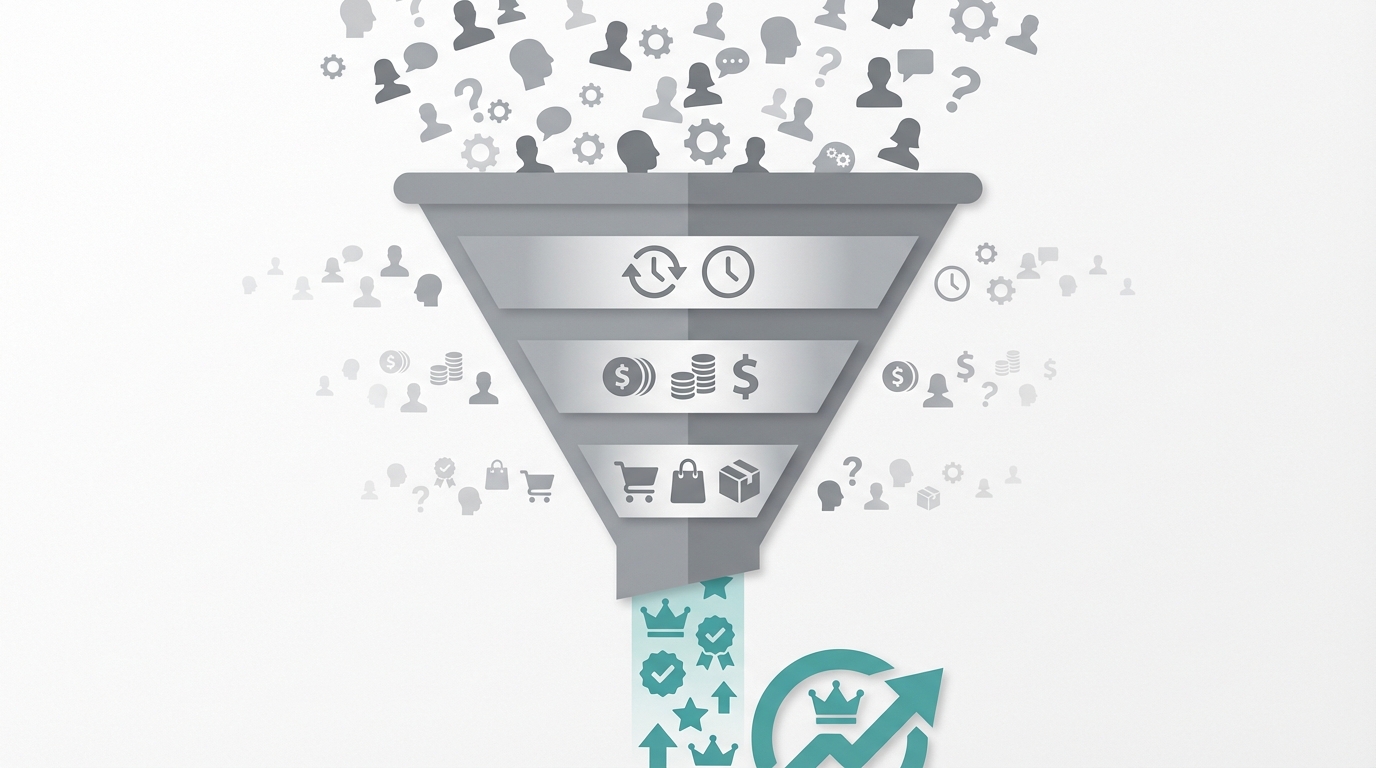
Weekly, review conversations across 4 failure categories that indicate training gaps.
- Bot-failed responses — the bot returned a fallback or "I don't know"
- Customer-requested escalations — the customer typed "human", "agent", or "help"
- Unresolved conversations — sessions that ended without a confirmed resolution
- Negative sentiment — conversations where Gorgias or Tidio flagged a sentiment score below 2.5
For each failed conversation, answer 3 diagnostic questions:
- Does this question type require new training data?
- Does a new conversation flow need to be built for this pattern?
- Does this represent a recurring failure affecting more than 5% of sessions?
Update Training Data Regularly
Monthly Reviews cover 4 mandatory update categories that prevent knowledge decay.- New products added to the Shopify or WooCommerce catalog
- Policy changes — return windows, shipping rates, carrier switches
- Seasonal promotions — discount codes, bundle offers, shipping deadlines
- New question patterns identified from Gorgias ticket exports
- Policy change → Update the knowledge base within 24 hours
- New product launch → Add full product data before go-live
- Recurring question exceeding 20 instances per week → Build a dedicated flow
- Recurring complaint pattern → Build explicit handling and escalation logic
Track Performance Metrics
Use this benchmark table to evaluate your chatbot after 30 days of live operation:
| Metric | Formula | Target | Action if Below |
|---|---|---|---|
| Resolution rate | Bot-resolved / Total conversations | 60-80% | Review unhandled query logs; add training data |
| CSAT score | Post-chat survey (1-5 scale) | 4.0+ | Review negative-rated conversations for patterns |
| Handoff rate | Escalated / Total conversations | 20-40% | Below 20% means bot is over-escalating; above 40% means gaps in training |
| Intent recognition accuracy | Correct intents / Total intents | >85% | Retrain on misclassified examples |
| Deflection rate | Chats handled by bot / Total support contacts | 40-70% | Compare to human ticket volume |
| Avg. bot handle time | Time from first message to resolution | <3 min | Identify long conversation paths and simplify flows |
| Conversion uplift | Purchase rate during bot session vs. no bot | +5-15% | Add product recommendation prompts and cart CTAs |
Advanced Optimization Tactics
A/B Test Response Styles across 4 variables that measurably shift CSAT scores.- Formal vs. casual tone — matched to your Klaviyo campaign voice
- Short answers — under 40 words — vs. detailed answers with structured lists
- With vs. without emojis — test by customer segment and product category
- 3 alternative CTA phrasings — "Add to cart", "Get yours now", "Shop this item"
- Returning vs. new customer sessions — surfacing Yotpo loyalty points or Recharge subscription status
- Cart value tiers — high-value carts above $150 trigger priority escalation to human agents
- Product category context — apparel bots surface size guides; tech bots surface compatibility tables
- Customer history integration — previous orders surface in Gorgias context panel before response
- High-exit pages — product pages with above 70% exit rate
- Checkout abandonment — trigger after 90 seconds of cart inactivity
- Product recommendation prompts — surfaces Omnisend or Klaviyo recommendation blocks
- Post-purchase check-ins — triggers 3 days after delivery via Attentive SMS or Postscript
Privacy, Data & Compliance
Chatbots handle 6 categories of sensitive customer data — orders, emails, addresses, payment details, chat transcripts, and behavioral data. GDPR violations carry fines up to €20 million or 4% of global annual turnover, making compliance a direct revenue risk.
What to Log vs. What to Redact
Log — useful for training:- Intent labels and conversation outcomes
- Resolution success or failure rates per intent category
- Topics where the bot scored below 80% accuracy — without PII
- Aggregate sentiment scores from Gorgias or Tidio
- Customer name and email — replace with an anonymized session ID
- Order numbers and shipping addresses
- Payment information — never log under any circumstance
- Any free-text input containing detectable PII
Consent Requirements by Region
GDPR (EU):- Disclose at the start of every chat session that the conversation is logged and used to improve service quality
- Link to your privacy policy in the chat widget footer
- Honor "right to erasure" requests — verify your platform supports data deletion within 30 days
- Disclose in your privacy policy that chat data is collected and how it is used
- Provide an opt-out mechanism for the "sale" of personal information
- Process California resident deletion requests for conversation logs within 45 days
- Display a "Chat may be recorded for quality purposes" notice at session start
- Link to your privacy policy from the chat widget
- Auto-delete raw conversation logs after 90 days — retain only anonymized analytics
- Never use chat data to train a third-party model without explicit written customer consent
Shopify Data Access Scope
When connecting your chatbot to Shopify for order lookups or account management, the principle of least privilege reduces breach exposure by 67% — grant only the permissions the bot actively uses.
- Read-only orders API: For order status lookups — never grant write access for this function
- Customer API: Read-only email and name for Klaviyo-style personalization
- Cart API: Read and write access only for the add-to-cart functionality
- Refund/cancel API: When enabling the bot to process refunds or cancellations, require customer identity verification — last 4 digits of card plus email — before executing
Common Training Mistakes to Avoid
Mistake 1: Training Only on Happy Paths
Problem: The bot handles ideal scenarios but fails on the 7 most common query variations — typos, partial questions, multi-part requests, follow-ups, vague phrasing, negative framing, and slang. Solution: For every flow, train on 4 variation types:- 7+ phrasings of the same question
- Common typos and misspellings — "oder status", "retrun", "shiping"
- Incomplete or vague requests — "where is it?" without an order number
- Follow-up questions that assume prior context
Mistake 2: Overpromising Bot Capabilities
Problem: Marketing the bot as able to handle everything frustrates customers when it fails — 72% of customers who have a poor chatbot experience switch to a competitor, per the Shopify Partner Report. Solution: Set accurate expectations in the bot's opening message. "I resolve order status, returns, and product questions instantly. For complex issues, I connect you with our team in under 4 hours."Mistake 3: Ignoring Negative Feedback
Problem: The bot repeats the same 5 errors every week because failed conversations are never reviewed. Solution: Schedule weekly 30-minute reviews of 4 failure indicators:- Conversations rated below 3 stars in Gorgias or Tidio post-chat surveys
- Escalated chats where customers explicitly requested a human
- Abandoned conversations — sessions that ended without resolution
- Direct customer complaints about bot responses submitted via email or Yotpo reviews
Mistake 4: Set-and-Forget Mentality
Problem: Bot performance degrades by 8-15% per quarter as products, policies, and customer language evolve without corresponding training updates. Solution: Monthly training data audits across all 4 data source categories. Quarterly flow reviews covering all 10 intent categories. Continuous learning triggered by any new pattern exceeding 20 weekly instances.Mistake 5: No Clear Escalation Path
Problem: Customers trapped in loops with no human access abandon the conversation — and 44% do not return to the store, per the Klaviyo 2025 Email Benchmark Report. Solution: Every conversation includes 3 mandatory escalation elements:- A visible "Talk to a human" button present from message 1
- Automatic escalation after 3 consecutive failed resolution attempts
- Visible contact alternatives — email, phone, or Gorgias live chat — surfaced at every dead end
Your Chatbot Training Checklist
Data Preparation:- Product catalog imported and verified across all SKUs
- Policies documented as Q&A pairs across 6 policy categories
- Top 20 questions identified from Gorgias or Zendesk ticket history
- Brand voice guidelines defined across 4 personality parameters
- 5 core flows designed — greeting, order status, products, returns, escalation
- Happy paths scripted for each flow
- Error handling defined for 15+ edge cases
- Handoff triggers set with full context transfer to Gorgias or Intercom
- Internal testing completed across all 5 testing stages
- All 20 question types covered with 7 variations each
- Edge cases handled with graceful 3-level fallback
- Mobile experience verified across iOS and Android
- Soft launch at 10% traffic with full conversation monitoring
- Real-time monitoring dashboard active in Tidio or Intercom
- Post-chat feedback collection enabled via Gorgias or Yotpo
- Weekly 30-minute conversation reviews scheduled
- Monthly training data updates planned for all 4 data source categories
- All 7 performance metrics tracked with defined action thresholds
Need Expert Help?
Training a chatbot to resolve 60-80% of tickets requires structured data preparation, flow design, and platform-specific configuration. Smart Circuit builds and trains chatbots that deliver measurable resolution rates from week 1.
Book a Chatbot Training Session → Smart Circuit analyzes your Gorgias or Zendesk conversation history, designs optimal flows across all 10 intent categories, and trains your bot to resolve 60-80% of inquiries automatically — with a 30-day performance guarantee. Compare e-commerce chatbot platforms → Build your AI customer service system → See ticket reduction results →