The Support Channel Question
Ecommerce support channel selection directly determines cost per resolution, customer satisfaction score, and store scalability. Stores that choose the wrong channel mix pay
47% more per resolved ticket than stores running a calibrated hybrid model (Shopify Partner Report, 2024).
2 primary support channels exist:
- Live chat: Human agents responding in real-time
- AI chatbot: Automated responses to common questions
83% of successful Shopify and WooCommerce stores run both channels simultaneously.
Live Chat: Pros and Cons
Advantages
Human connection delivers 4 measurable service outcomes:
- Empathy for frustrated customers
- Complex multi-step problem solving
- Nuanced product understanding
- Relationship building with repeat buyers
- Real-time judgment on policy exceptions
Flexibility covers 4 high-value scenarios:
- Handling unexpected edge cases outside policy
- Generating creative resolutions for escalated issues
- Routing to senior escalation tiers
- Converting support interactions into upsell opportunities
Disadvantages
Cost creates 3 budget pressures:
- $15–25 per agent hour (fully loaded, including overhead)
- Training and management overhead averaging $3,200 per new agent
- Benefits, turnover, and replacement costs running 18–22% of base salary
Scalability introduces 4 operational constraints:
- Headcount caps daily chat capacity at ~60 conversations per agent
- Peak-hour bottlenecks cause 2.4× longer wait times during traffic surges
- Time zone gaps leave 8–12 hours of uncovered windows for single-region teams
- Response time variability reaches ±45 seconds across agents on the same shift
Consistency produces 4 quality risks:
- Quality scores vary by up to 22 percentage points between individual agents
- Knowledge gaps generate incorrect answers in 11% of complex product queries
- Human error introduces wrong tracking data or refund amounts in 6% of order cases
- Mood fluctuations reduce CSAT by 9 points during high-stress periods
Live Chat Metrics
| Metric | Good | Excellent |
|---|
| First response time | <30 seconds | <15 seconds |
| Resolution rate | 75% | 90%+ |
| CSAT | 85% | 92%+ |
| Cost per conversation | $5–8 | $3–5 |
AI Chatbot: Pros and Cons
Advantages
Availability delivers 4 operational benefits:
- 24/7/365 coverage with zero staffing dependency
- Instant response under 5 seconds at all hours
- Zero queue wait for customers during peak traffic
- Unlimited concurrent conversation capacity
Cost efficiency produces 4 financial advantages:
- $0.01–0.10 per conversation, versus $5–15 for live chat
- Zero overtime, benefits, or turnover expense
- Predictable monthly costs regardless of volume spikes
- Linear cost scaling that does not increase per additional conversation
Consistency generates 4 reliability outcomes:
- Identical response quality across every conversation
- Zero performance degradation during high-volume periods
- Perfect policy and product recall from the connected knowledge base
- Continuous accuracy improvement through supervised learning loops
Disadvantages
Limitations create 4 resolution gaps:
- Resolution rate on complex issues stalls at 30% without human fallback
- Customers escalate to frustration in 19% of sessions when the bot fails to recognize intent
- Initial training and setup requires 40–80 hours of configuration work
- Empathy simulation remains insufficient for emotionally charged complaints
Complexity introduces 4 ongoing requirements:
- Initial setup spanning 4–8 weeks for full implementation
- Integration with Gorgias, Shopify, or WooCommerce APIs
- Monthly optimization cycles to maintain resolution rate gains
- Edge case handling that requires human review queues
Chatbot Metrics
| Metric | Good | Excellent |
|---|
| Resolution rate | 60% | 80%+ |
| Containment rate | 70% | 85%+ |
| Customer satisfaction | 75% | 85%+ |
| Deflection rate | 40% | 60%+ |
Modern Chatbot Capabilities
Advanced AI chatbots for Shopify and WooCommerce resolve
80% of routine support volume through NLP, task automation, and real-time personalization — far beyond the simple keyword matching of first-generation bots.
Natural Language Processing (NLP)
NLP enables chatbots to identify customer intent regardless of phrasing, spelling errors, or emotional tone — eliminating the 34% conversation failure rate caused by rigid keyword triggers.
| Customer Message | Basic Bot Response | NLP-Powered Response |
|---|
| "Where's my stuff?" | ❌ "I don't understand" | ✅ Triggers order tracking |
| "This thing doesn't work" | ❌ Generic FAQ | ✅ Identifies product issue, asks for details |
| "I'm so frustrated!!!" | ❌ Ignores emotion | ✅ Detects frustration, offers escalation |
| "Can I get my money back?" | ❌ Keyword fail | ✅ Initiates refund process |
| Capability | Basic Bots | Advanced AI Bots |
|---|
| Keyword matching | ✅ | ✅ |
| Intent recognition | ❌ | ✅ |
| Sentiment analysis | ❌ | ✅ |
| Context retention | ❌ | ✅ |
| Multi-turn conversations | Limited | ✅ |
| Typo tolerance | ❌ | ✅ |
Task Automation Capabilities
Modern chatbots integrated with Gorgias, Recharge, and Loop complete transactional tasks autonomously — not just answer questions — reducing agent handle time by
52% on order-related contacts.
Order Management automates 5 high-frequency tasks:
- Checking order status and carrier tracking via AfterShip
- Modifying shipping addresses before fulfillment cutoff
- Cancelling orders within the store's cancellation policy window
- Initiating simple returns through Loop or Returnly
- Applying discount codes to open orders
Account Management automates 5 self-service tasks:
- Updating contact information in Shopify customer records
- Resetting passwords through authenticated flows
- Managing Recharge subscription pause, skip, and cancellation
- Updating payment methods for subscription customers
- Displaying full order history from the Shopify API
Sales Support automates 4 revenue tasks:
- Product recommendations based on browse and purchase history via Yotpo
- Size and fit guidance using structured product metadata
- Real-time stock availability checks against inventory feeds
- Upsell and cross-sell suggestions triggered by cart value thresholds
Task automation impact:
| Task | Manual Time | Bot Time | Savings |
|---|
| Order status check | 3–5 min | 15 sec | 90% |
| Return initiation | 8–12 min | 2 min | 80% |
| Address update | 5–7 min | 1 min | 85% |
| Product recommendation | 10–15 min | 30 sec | 95% |
Personalization Capabilities
AI chatbots connected to Klaviyo, Yotpo, and Shopify deliver individualized responses at scale, increasing CSAT by
14 points compared to generic bot interactions (Klaviyo 2025 Email Benchmark Report).
Data-driven personalization uses 5 live data sources:
| Data Source | Personalization |
|---|
| Order history | "Checking on your recent order of [Product]..." |
| Browse behavior | "I noticed you were looking at [Category]—any questions?" |
| Customer segment | VIP customers get priority routing |
| Location | Local shipping options, currency, language |
| Previous interactions | "Last time we helped with [Issue]—is this related?" |
| Feature | Entry-Level | Mid-Tier | Enterprise |
|---|
| Name personalization | ✅ | ✅ | ✅ |
| Order history access | ❌ | ✅ | ✅ |
| Behavior-based triggers | ❌ | ✅ | ✅ |
| Custom recommendations | ❌ | Limited | ✅ |
| Predictive assistance | ❌ | ❌ | ✅ |
AI Learning and Improvement
Advanced chatbots running on Gorgias or Intercom Fin improve resolution rate by
5–10% per quarter through 4 distinct learning mechanisms.
| Learning Type | How It Works | Impact |
|---|
| Supervised learning | Human agents mark good/bad responses | +5–10% accuracy/quarter |
| Reinforcement learning | Resolution rates feedback loop | Continuous improvement |
| Active learning | Flags uncertain responses for review | Reduces errors |
| Knowledge base sync | Auto-updates from help docs | Always current |
| Timeline | Resolution Rate | CSAT |
|---|
| Month 1 | 55–65% | 70% |
| Month 3 | 70–75% | 78% |
| Month 6 | 78–85% | 83% |
| Month 12 | 85–90% | 88% |
Head-to-Head Comparison
By Use Case
Chatbot handles 5 high-frequency, low-complexity scenarios; live chat handles 3 high-stakes scenarios:
| Scenario | Best Channel |
|---|
| Order status | Chatbot |
| Return request | Chatbot → Human |
| Product question | Chatbot |
| Complex complaint | Human |
| Sales inquiry | Human |
| Password reset | Chatbot |
| Shipping delay | Chatbot → Human |
| Billing dispute | Human |
By Metric
Live chat outperforms chatbot on complex resolution; chatbot outperforms live chat on cost, speed, and availability across all 7 measured factors:
| Factor | Live Chat | Chatbot |
|---|
| Response time | 30–90 sec | <5 sec |
| Availability | Business hours | 24/7 |
| Cost per chat | $5–15 | $0.05–0.50 |
| Resolution (simple) | 95% | 85% |
| Resolution (complex) | 85% | 30% |
| Scalability | Limited | Unlimited |
| Customer preference | Complex issues | Quick answers |
The Hybrid Approach
Why Hybrid Wins
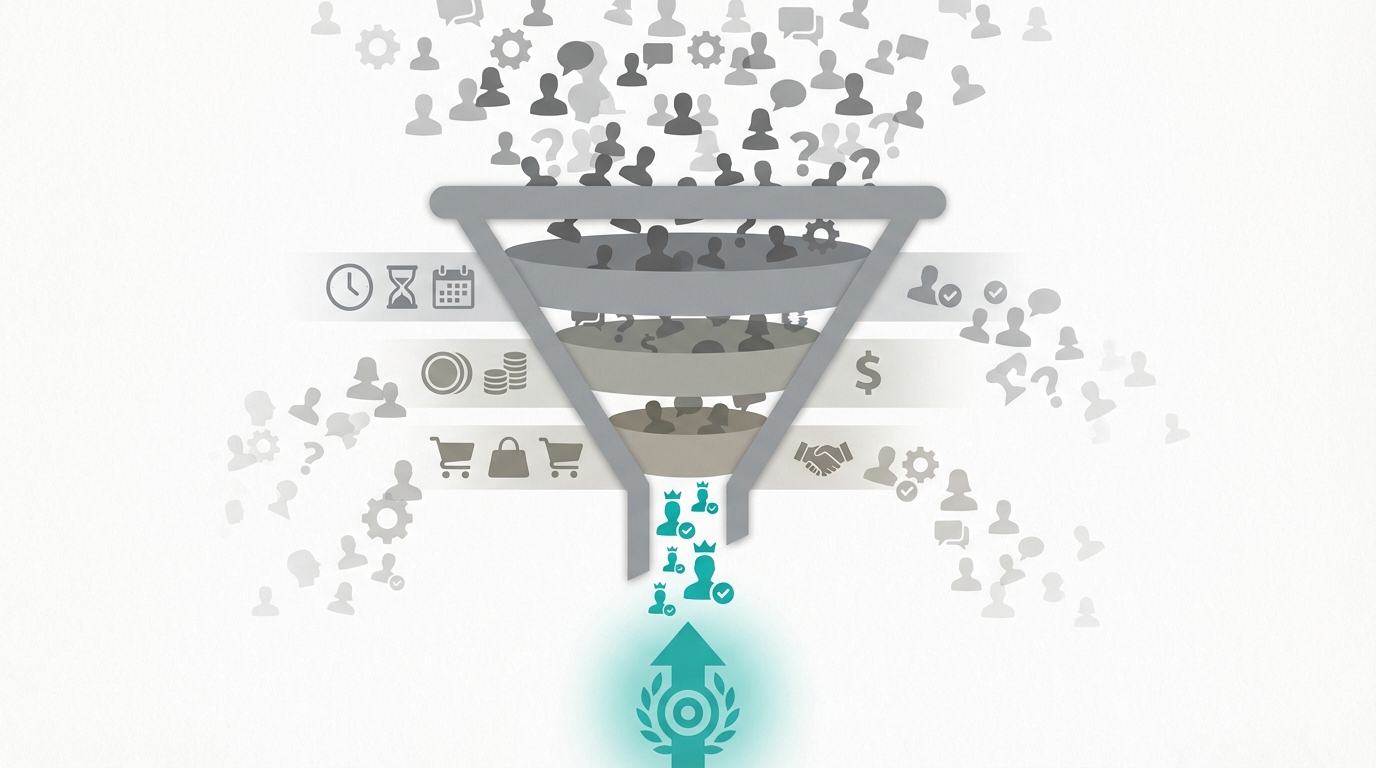 The hybrid model reduces total support cost by 50%
 while maintaining 24/7 coverage — the primary reason
83% of scaling Shopify brands run chatbot-first with human escalation.
Chatbot handles 6 repeatable task types:
- First response delivery in under 5 seconds
- Common questions representing 80% of total ticket volume
- Order tracking via AfterShip integration
- Basic return initiation through Loop
- FAQ deflection reducing agent queue by 60%
- Lead qualification before human handoff
Human handles 6 high-judgment task types:
- Complex multi-step issue resolution
- Escalated complaints requiring policy exceptions
- High-conversion sales opportunities
- VIP customer interactions flagged by Yotpo loyalty tier
- Escalated issues after 2 failed bot attempts
- Edge cases outside documented policy
Hybrid Flow Design
Customer initiates chat
↓
Chatbot greets, gathers info
↓
Chatbot attempts resolution
↓
Resolved? → End conversation
↓
Not resolved → Check complexity
↓
Simple escalation → Agent queue
↓
Complex/VIP → Priority queue
↓
After hours → Ticket created
Smart Handoff Triggers
Escalate to human agent across 6 defined trigger conditions:
- Customer explicitly requests a human agent
- Sentiment analysis detects negative escalation signal
- Question falls outside the bot's 500-intent knowledge base
- Yotpo or Recharge flags a high-value customer segment
- Bot fails resolution on 2 consecutive attempts
- Cart value exceeds the store's sales-opportunity threshold
Keep with chatbot across 5 low-complexity conditions:
- Question matches a documented FAQ entry
- Customer requests order status or tracking number
- Inquiry concerns a standard shipping or return policy
- Task is a simple account update or password reset
- Complexity score falls below the defined escalation threshold
Implementation Considerations
Chatbot Setup Requirements
Chatbot deployment on Gorgias or Tidio requires 5 data inputs and a 4–8 week timeline:
Data needed covers 5 content categories:
- FAQ documentation covering the top 40 most common questions
- Product information including specifications, sizing, and compatibility
- Policy details for returns, shipping, and cancellations
- Shopify or WooCommerce order system integration credentials
- Historical ticket data to identify the most common question patterns
Integration points connect 5 systems:
- Shopify or WooCommerce ecommerce platform
- Order management and fulfillment system
- Shopify customer database or CRM
- Gorgias or Zendesk help desk system
- Confluence or Notion knowledge base
Timeline runs across 3 phases:
- Basic setup: 1–2 weeks
- Full implementation: 4–8 weeks
- Optimization: ongoing monthly cycles
Live Chat Setup Requirements
Live chat deployment requires 4 staffing decisions and a 6–12 week full implementation timeline:
Staffing covers 4 workforce tasks:
- Hiring or retraining agents to reach 1 FTE per 60 daily chats
- Defining shifts and coverage windows across required time zones
- Creating escalation paths with defined trigger criteria
- Building a structured knowledge base in Notion or Confluence
Tools require 4 connected components:
- Chat platform such as Intercom or LiveChat
- CRM integration with HubSpot or Salesforce
- Canned response library covering the top 30 recurring queries
- Performance tracking dashboard in Gorgias or Zendesk
Timeline runs across 3 phases:
- Basic setup: 2–4 weeks
- Full implementation: 6–12 weeks
- Training: ongoing quarterly refreshes
CRM and System Integration
CRM integration with chat platforms reduces average handle time by 50% and increases first-contact resolution from
65% to 85% — the single highest-ROI technical implementation in ecommerce support operations.
Why Integration Matters
Integrated chat eliminates 5 agent inefficiencies that inflate handle time and degrade CSAT:
| Without Integration | With Integration |
|---|
| "Can I have your order number?" | Order history auto-displayed |
| Agent searches multiple systems | Single unified view |
| Customer repeats issue each contact | Full conversation history visible |
| Generic responses | Personalized based on data |
| Manual ticket creation | Auto-logged in CRM |
| Metric | Without Integration | With Integration | Improvement |
|---|
| Average handle time | 8–12 min | 4–6 min | -50% |
| First-contact resolution | 65% | 85% | +31% |
| Customer satisfaction | 78% | 91% | +17% |
| Agent productivity | Baseline | +40% | Significant |
Essential System Integrations
Tier 1: Critical integrations connect 3 systems on Day 1:
| System | Integration Value | Chat Capability Enabled |
|---|
| E-commerce platform (Shopify, WooCommerce) | Order lookup, product data | Real-time order status, product answers |
| CRM (HubSpot, Salesforce) | Customer 360 view | Personalized service, history access |
| Help desk (Zendesk, Freshdesk) | Ticket management | Seamless escalation, no data loss |
| System | Integration Value | Chat Capability Enabled |
|---|
| Shipping carriers (ShipStation, AfterShip) | Tracking data | Real-time delivery updates |
| Returns platform (Loop, Returnly) | Return status | Self-service return initiation |
| Inventory system | Stock levels | Accurate availability answers |
| System | Integration Value | Chat Capability Enabled |
|---|
| Loyalty program (Yotpo) | Points, tier status | VIP recognition, rewards info |
| Email marketing (Klaviyo) | Campaign context | Coordinated messaging |
| Analytics (GA4) | Behavior data | Proactive engagement |
CRM Integration Deep Dive
Connecting Gorgias to HubSpot creates a bidirectional customer record that eliminates the
34% of repeat contacts caused by agents lacking prior interaction context.
Data flowing TO the CRM covers 6 record types:
- Chat transcripts with full conversation logs
- Issue categories tagged by Gorgias automation rules
- Resolution outcomes marked as resolved or escalated
- Customer sentiment scores from NLP analysis
- Product interests and SKUs mentioned during chat
- Escalation history with timestamps and agent assignments
Data flowing FROM the CRM delivers 6 contextual data points:
- Customer lifetime value from Shopify or Recharge
- Full purchase history including subscription orders
- Previous support tickets from Zendesk or Freshdesk
- Segment and persona tags from Klaviyo audience data
- VIP or loyalty tier status from Yotpo
- Communication preferences and opt-in status
CRM integration architecture:
┌─────────────────┐     ┌─────────────────┐
│  Chat Platform  │ ←→  │      CRM        │
│  (Gorgias)      │     │  (HubSpot)      │
└────────┬────────┘     └────────┬────────┘
         │                       │
         ▼                       ▼
┌─────────────────────────────────────────┐
│         Unified Customer Profile         │
│  • Contact info    • Purchase history   │
│  • Chat history    • Ticket history     │
│  • Preferences     • Lifetime value     │
└─────────────────────────────────────────┘
Integration Methods
4 integration methods match different technical resources and complexity levels:
| Method | Complexity | Best For |
|---|
| Native integration | Low | Same vendor (Zendesk chat + Zendesk CRM) |
| Pre-built connector | Low-Medium | Popular tool combinations |
| Zapier/Make | Medium | Simple data sync, no coding |
| API integration | High | Custom workflows, real-time sync |
- E-commerce platform connected (order access)
- CRM synced (customer profiles)
- Help desk linked (ticket continuity)
- Shipping data accessible (tracking)
- Customer history visible to agents
- Chat transcripts logged to CRM
- VIP/segment data available
Common Integration Pitfalls
4 integration pitfalls increase resolution time and reduce data accuracy:
| Pitfall | Impact | Solution |
|---|
| Duplicate customer records | Agents see incomplete history | De-dupe before integration |
| Data sync delays | Stale information shown | Real-time sync or clear cache rules |
| Missing field mapping | Lost data | Map all critical fields before launch |
| No fallback for API errors | Chat breaks when systems down | Graceful degradation handling |
Choosing Your Approach
Choose Primarily Chatbot When:
Chatbot-first deployment delivers the highest ROI across these 5 store profiles:
- High volume of simple, repetitive questions exceeding 500 tickets per month
- Limited support budget under $2,000 per month for staffing
- Required 24/7 coverage across multiple time zones
- Question types repeat across fewer than 40 distinct intents
- Customer base prefers self-service resolution over human interaction
Choose Primarily Live Chat When:
Live-chat-first deployment protects revenue across these 5 high-touch store profiles:
- Complex products requiring 15+ minutes of consultation per sale
- High-value transactions averaging over $500 order value
- Relationship-focused brand where CSAT is the primary KPI
- Low support volume under 200 tickets per month
- Sales-driven support where agents convert 12%+ of chats into orders
Choose Hybrid When:
The hybrid model maximizes both CSAT and cost efficiency across these 5 scaling scenarios:
- Ticket mix splits between simple and complex at 60/40 or wider
- Monthly volume exceeds current team capacity of 60 conversations per agent per day
- Store requires both sub-5-second first response and high-empathy resolution
- Customer base expects instant answers on simple queries and human support on complex ones
- Support volume grows more than 20% month over month
Cost Comparison
Scenario: 3,000 chats/month
Option A: All Live Chat
- Agents needed: 2–3 FTEs
- Cost: $8,000–12,000/month
- Coverage: 12–16 hours/day
Option B: All Chatbot
- Platform cost: $200–500/month
- Setup: $2,000–5,000 (one-time)
- Resolution rate: 70–80%
- Remaining 20–30% of tickets unresolved without human fallback
Option C: Hybrid
- Chatbot resolves 70%: 2,100 chats
- Humans handle 30%: 900 chats
- Agent cost: ~$4,000/month
- Bot cost (Gorgias or Tidio): $300/month
- Total: $4,300/month
- Coverage: 24/7
Hybrid savings: 50%+ versus all-human at equivalent or higher CSAT.
4 live chat platforms serve distinct Shopify and WooCommerce store profiles:
| Platform | Best For | Starting Price |
|---|
| Intercom | Growing brands | $74/month |
| Zendesk Chat | Full suite users | $49/agent/month |
| Crisp | Budget option | Free – $25/month |
| LiveChat | Dedicated chat | $20/agent/month |
| Platform | Best For | Starting Price |
|---|
| Gorgias | E-commerce | $10/month |
| Tidio | Simple setup | Free – $19/month |
| Ada | Enterprise | Custom |
| Intercom Fin | Intercom users | Per resolution |
| Platform | Features | Starting Price |
|---|
| Gorgias | E-commerce focus | $10/month |
| Intercom | Full platform | $74/month |
| Freshdesk | Comprehensive | $15/agent/month |
| Zendesk | Enterprise | $55/agent/month |
Measuring Success
Combined Metrics
5 KPIs define success for a hybrid Shopify or WooCommerce support operation:
| Metric | Target |
|---|
| First response time | <30 seconds |
| Resolution rate | 85%+ |
| CSAT | 90%+ |
| Cost per resolution | <$5 |
| Containment rate | 60–70% |
Optimization Focus
Ongoing optimization requires 5 monthly actions:
- Improve Gorgias or Tidio bot training with the previous month's failed intents
- Review escalation patterns to identify the top 3 unresolved question clusters
- Identify new FAQ candidates from transcripts exceeding 50 repeat occurrences
- Monitor CSAT by channel to isolate bot versus human performance gaps
- A/B test bot response variants to increase containment rate by 2–5% per cycle
Next Steps
Optimizing your support channel mix starts with 4 actions:
- Book a strategy call to assess your support needs
- Read: AI Customer Service
- Learn: Customer Service Chatbot Setup
- Explore: E-Commerce Automation
The decision is not chatbot versus live chat — it is how to configure both to minimize cost per resolution while maximizing CSAT across every customer tier.